Outside and inside
Outside, a word and a picture. Inside, your notes.
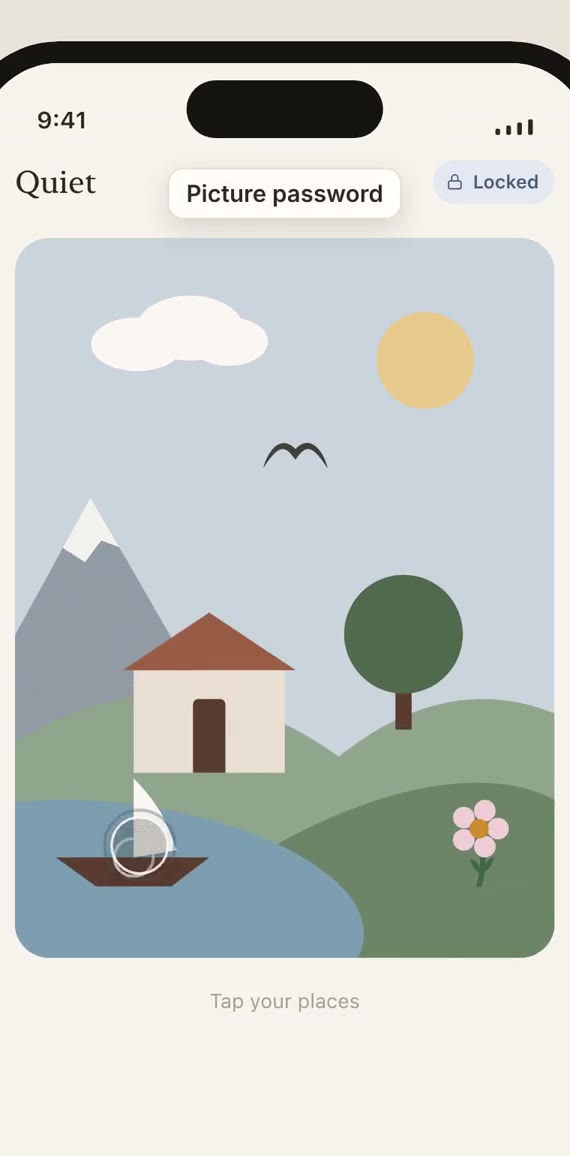
Nothing on the lock screen reads as a vault, a diary or a secret. Tap your places in the picture, in order, or use your PIN, and it opens. Try it here.
Private notes for iPhone
A locked note in Apple Notes still shows its title to anyone scrolling past. Quiet shows nothing at all. A PIN or a picture opens it, everything inside is encrypted on your phone, and none of it leaves.
Coming soon to the App StoreNo account. No cloud. No tracking. Hear when it’s out.
Outside and inside
Nothing on the lock screen reads as a vault, a diary or a secret. Tap your places in the picture, in order, or use your PIN, and it opens. Try it here.
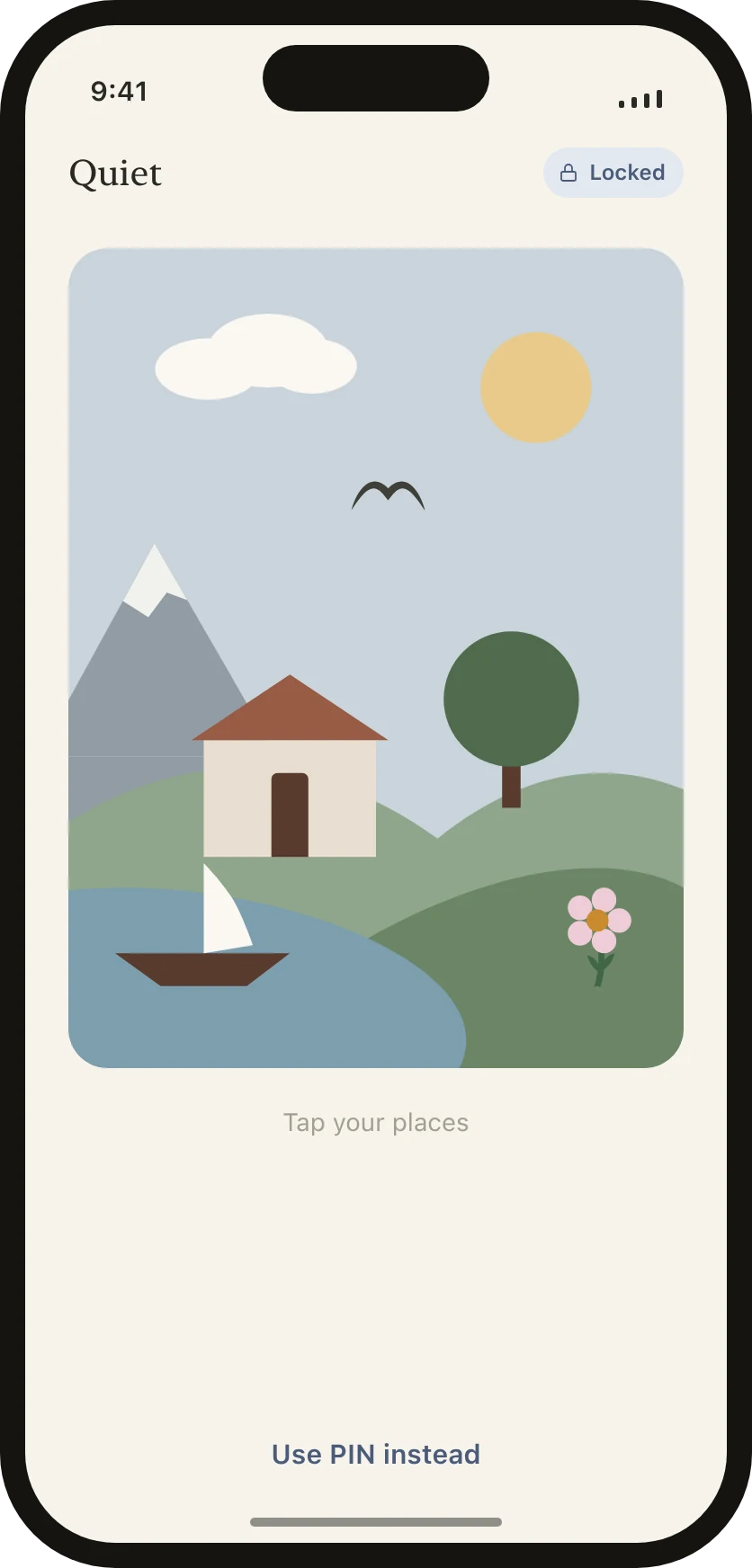
Outside, the word Quiet and an illustration. Yours uses your own places, four or more, in your own order.
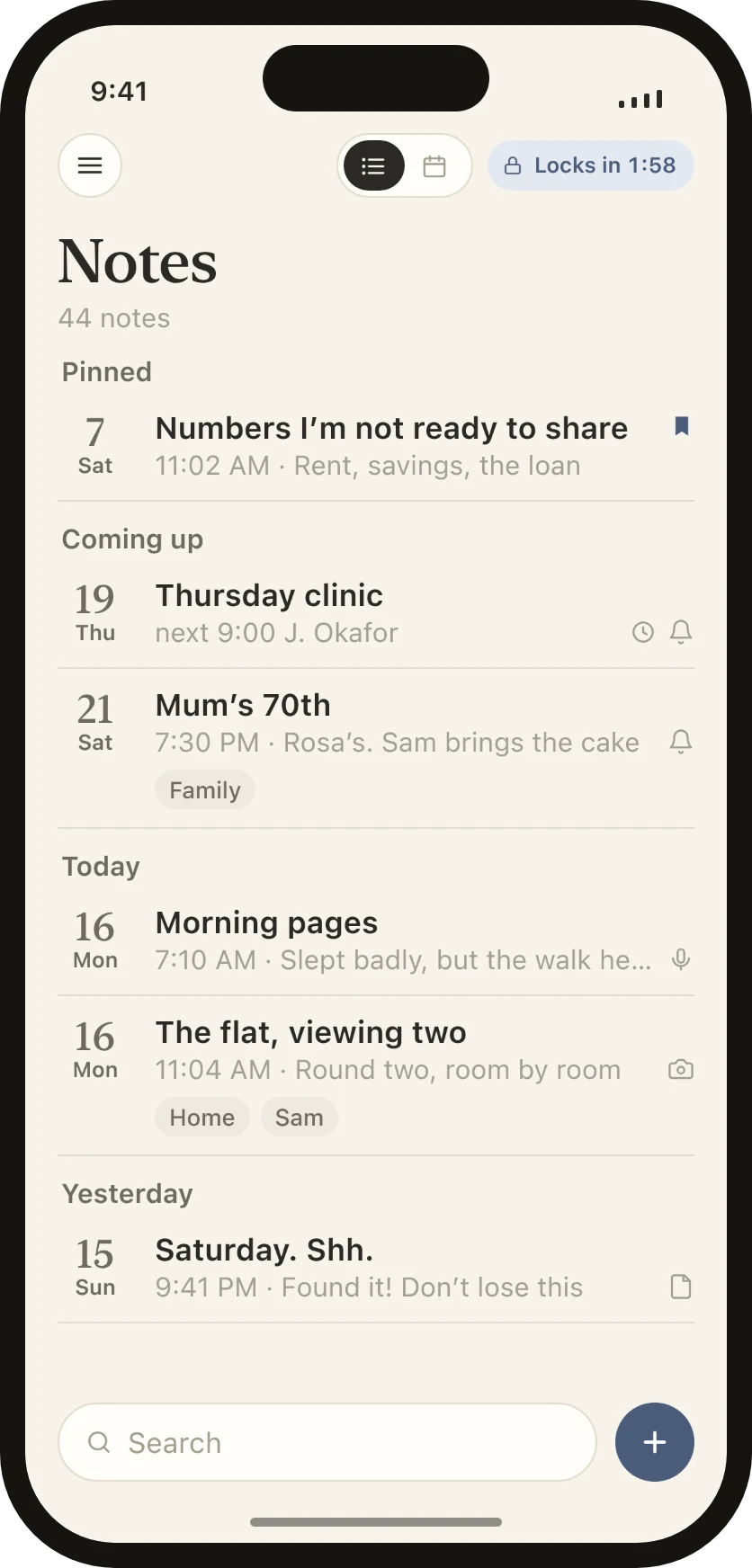
Inside, your notes by day, the ones you pin on top, and what’s coming up. Small glyphs show what each note holds, and a bell shows a reminder. Never a thumbnail.
The picture password is part of Quiet Pro; everyone gets a PIN.
How it works
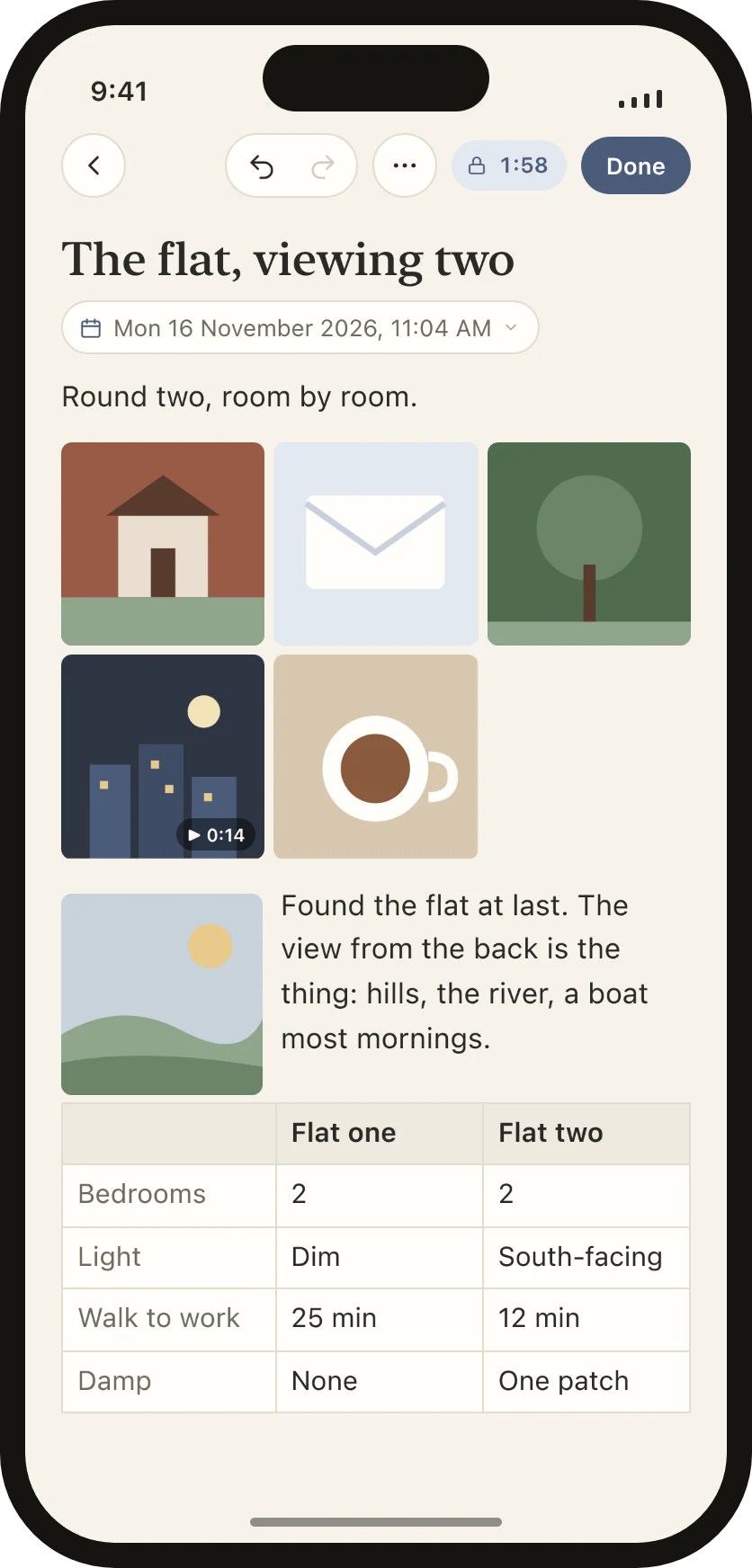
Pick up to thirty at once and they land in the order you chose, three across. A photo on its own sits beside the paragraph after it, so the words wrap round it. Add a table under them to compare what you saw.
Photos you take with Quiet’s camera are encrypted into the note and never reach your camera roll, so they never reach iCloud Photos, a shared library or the family iPad. Ones you pick from your library are copied in; the originals stay in Photos until you delete them there.
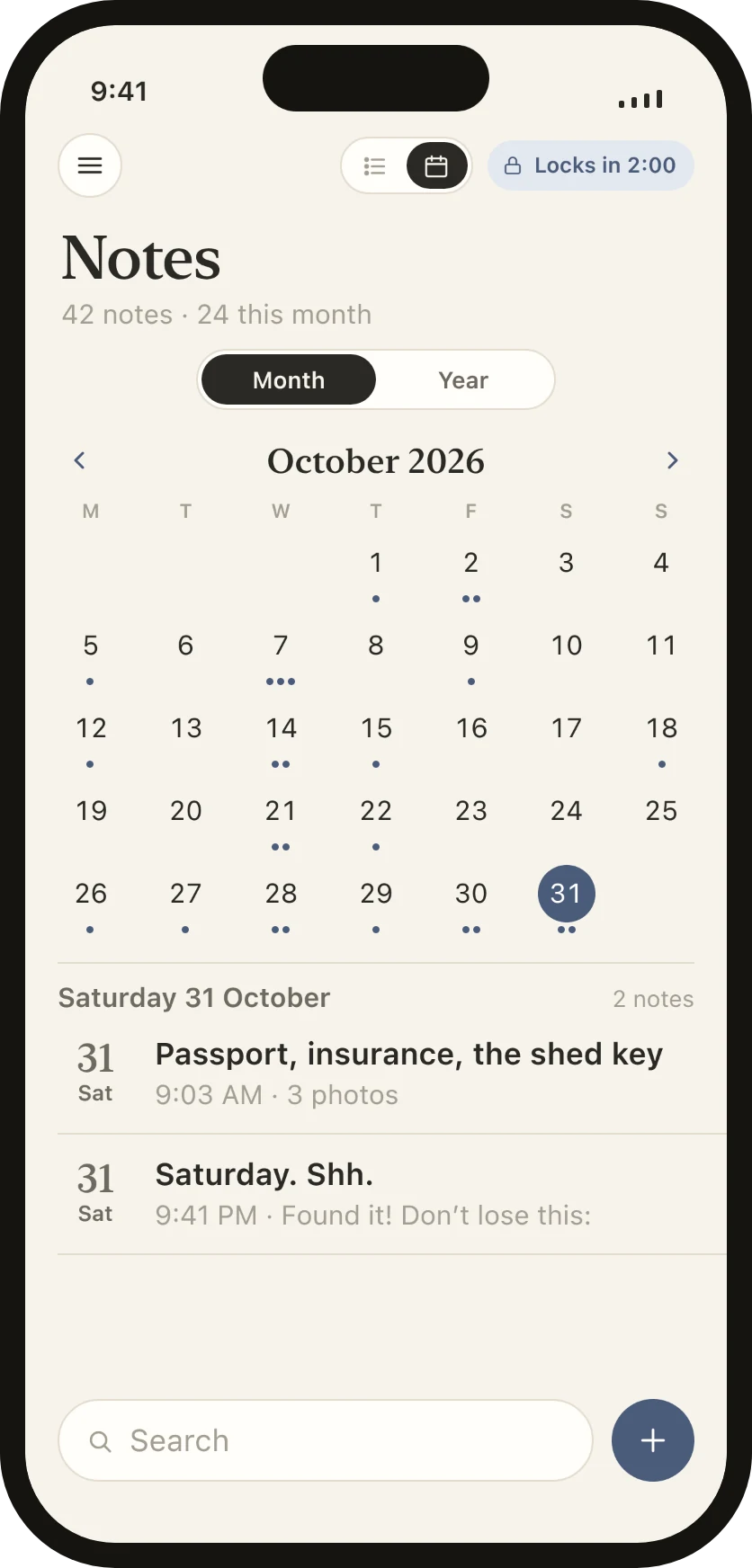
Every note sits on a day: the day you wrote it, or the day it’s about. Switch the list to the calendar and each day shows a dot for its notes. Tap a day to read what you wrote, or to write something for it. A note for a day still to come waits under Coming up.
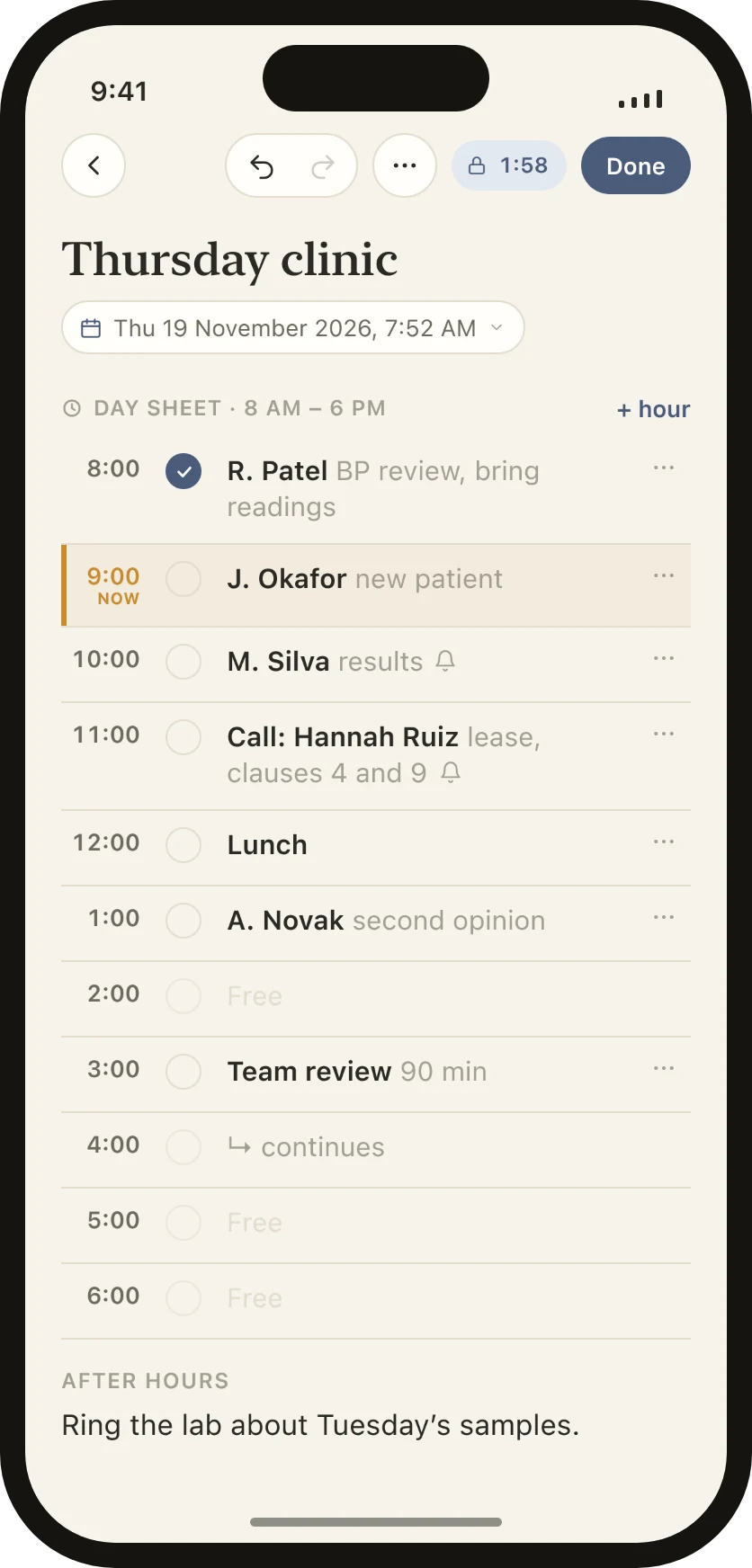
For anyone who books their day by the hour: a day sheet is a note with one line an hour, to fill with a name and what it’s for. Tick each one off as the day goes, and keep what comes after under After hours.
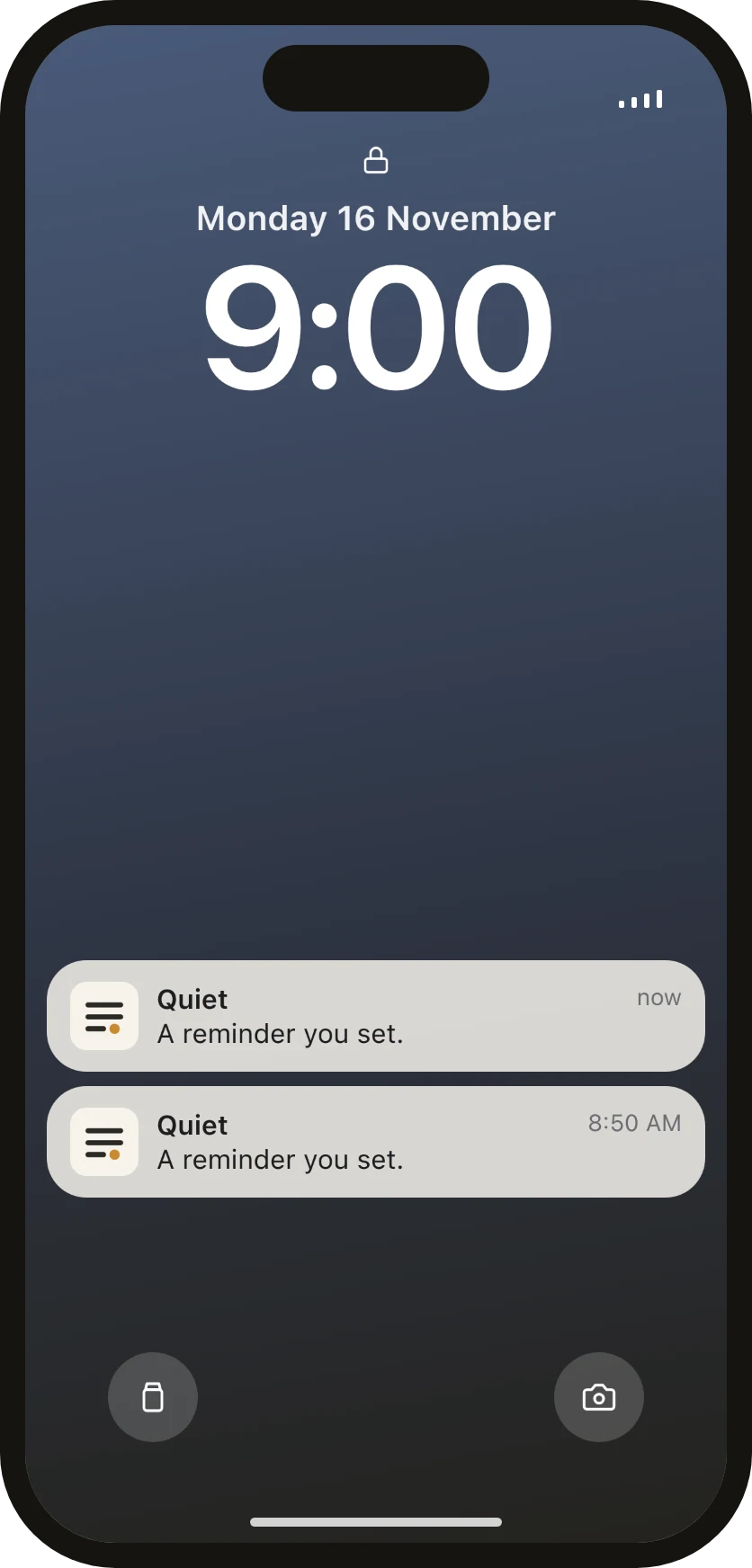
Every reminder Quiet sends reads the same: Quiet: A reminder you set. Not the title, not the note, not the time it’s for. Tap it, unlock, and Quiet opens the note it belongs to.
iOS still knows that a reminder exists and when it goes off, never what it’s for. Archiving a note clears its reminders.
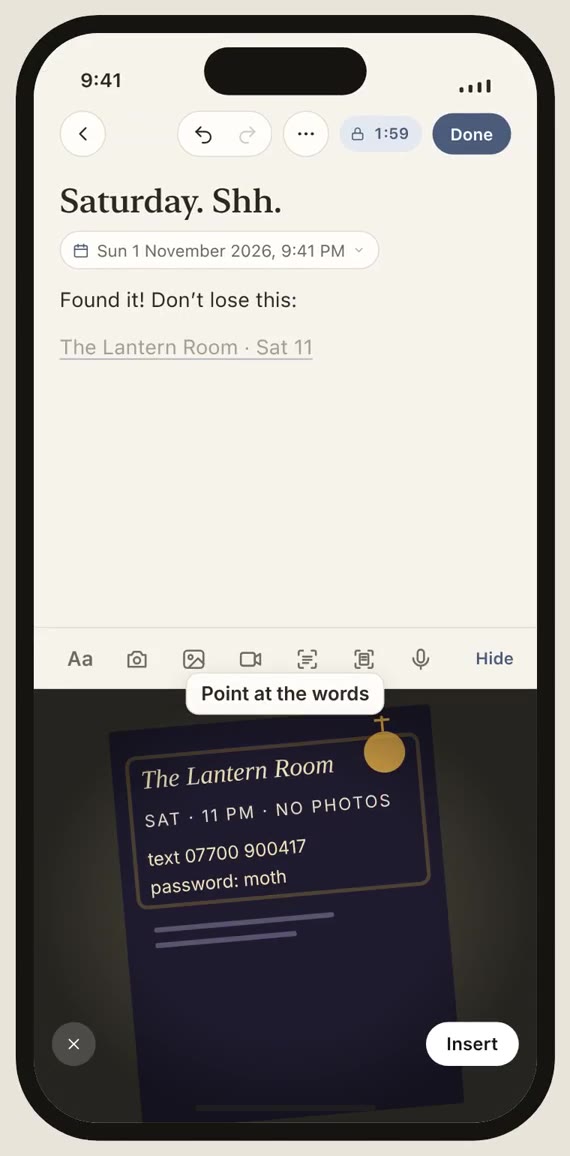
Point the camera at a flyer, a letter or a page, and the words land in your note as text you can edit. No picture is taken or kept: only the words you insert.
Scan text is free. Scanning documents is part of Quiet Pro.
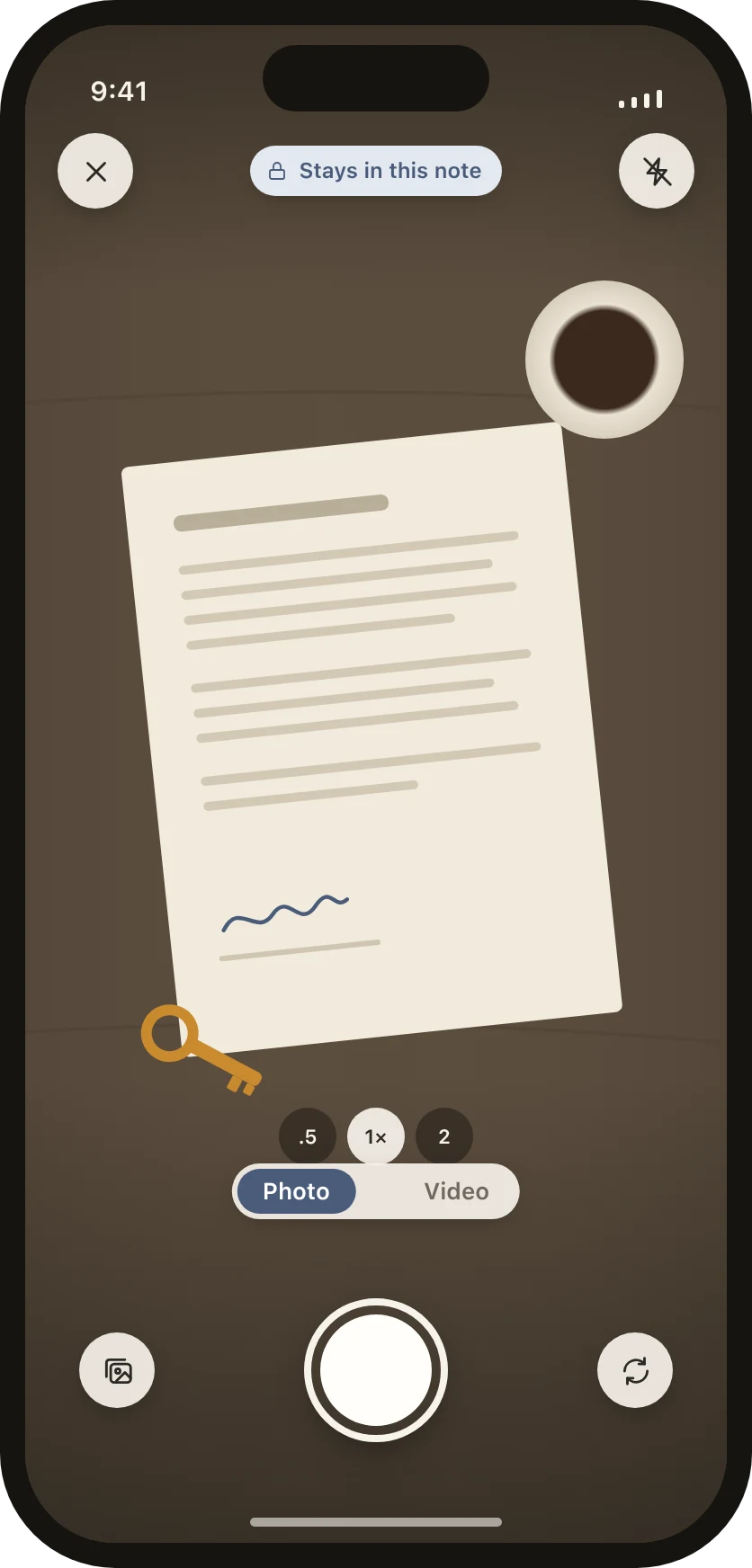
Quiet has its own camera, so nothing you take passes through the Photos app. A photo or video goes straight into the note you’re writing and is encrypted when you tap Use. If you change your mind, Retake leaves nothing behind.
Video is part of Quiet Pro.
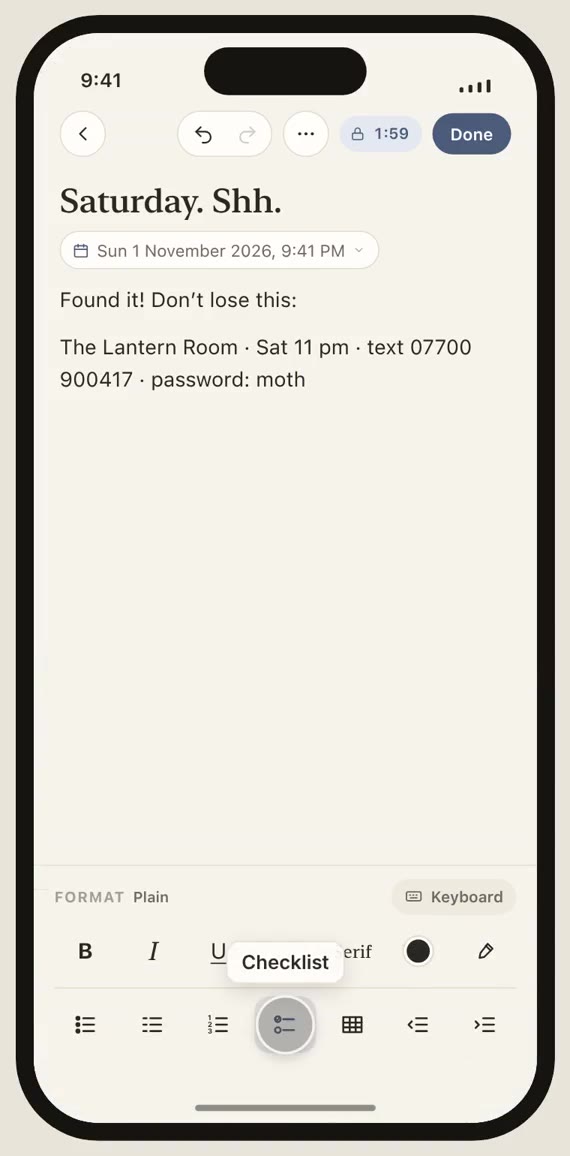
Tap Aa and the format panel takes the keyboard’s place. Checklists you tick, numbered lists that renumber themselves, tables you can type straight into, and the styles you’d expect: bold, italic, underline, strikethrough, a serif line, six inks and five soft highlights.
Formatting is free, and always will be.
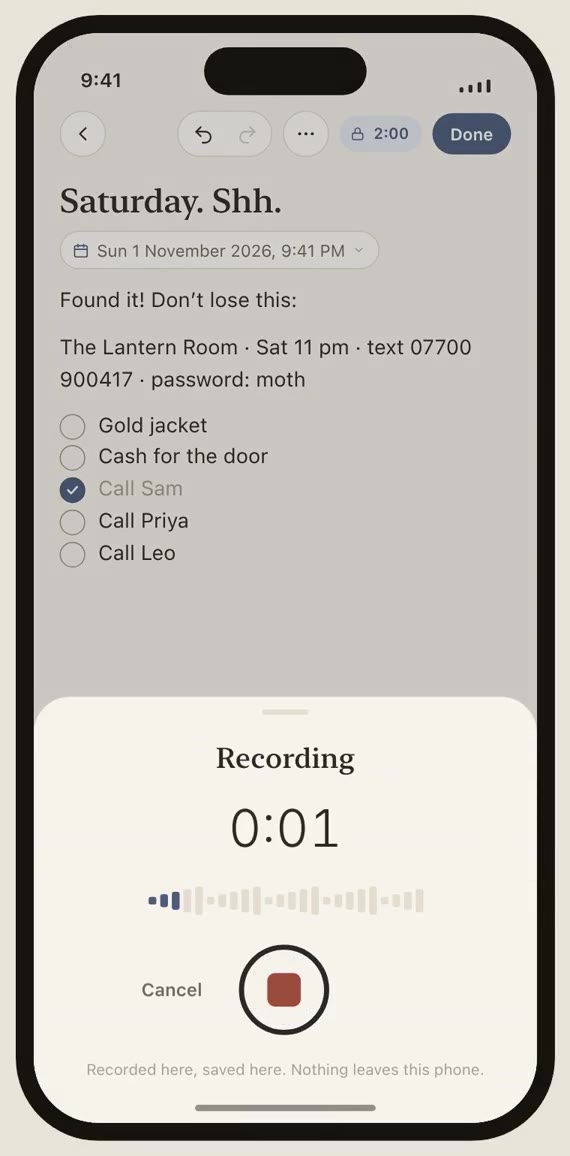
Some things are easier said than typed. Voice notes are recorded inside the note and sealed there, and they play from memory rather than from a file on disk. Video works the same way: it plays straight from the encrypted file, a piece at a time, and is never written out to watch.
Videos are fifteen seconds by default; choose one or three minutes in Settings. Voice and video are part of Quiet Pro.
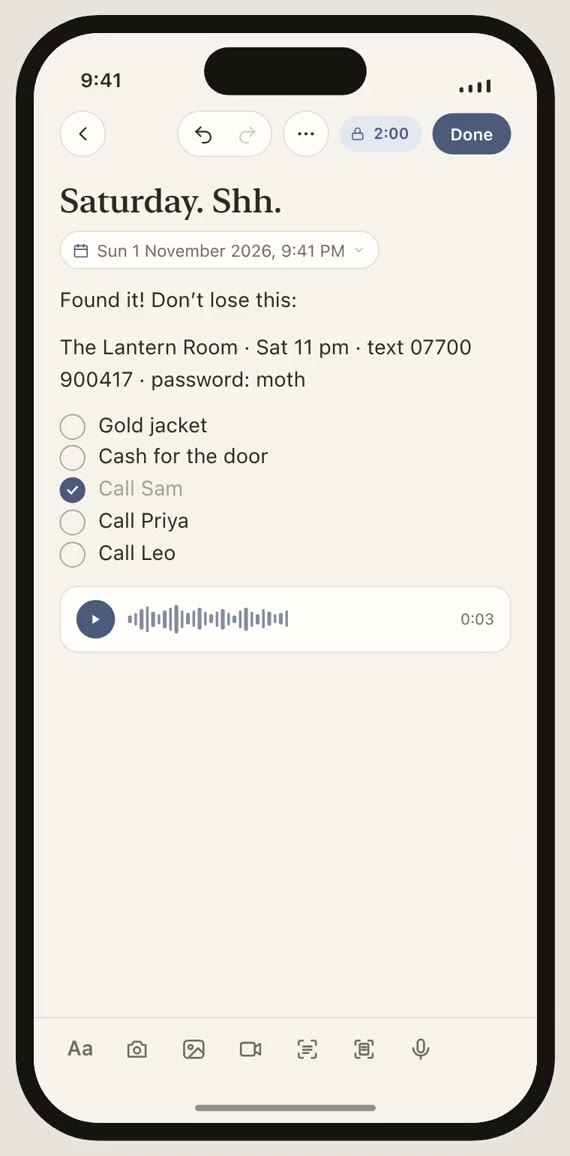
The countdown at the top of every screen shows how long until Quiet closes. It starts again whenever you tap, locks at zero, and locks the moment you leave the app. Tap it to lock straight away.
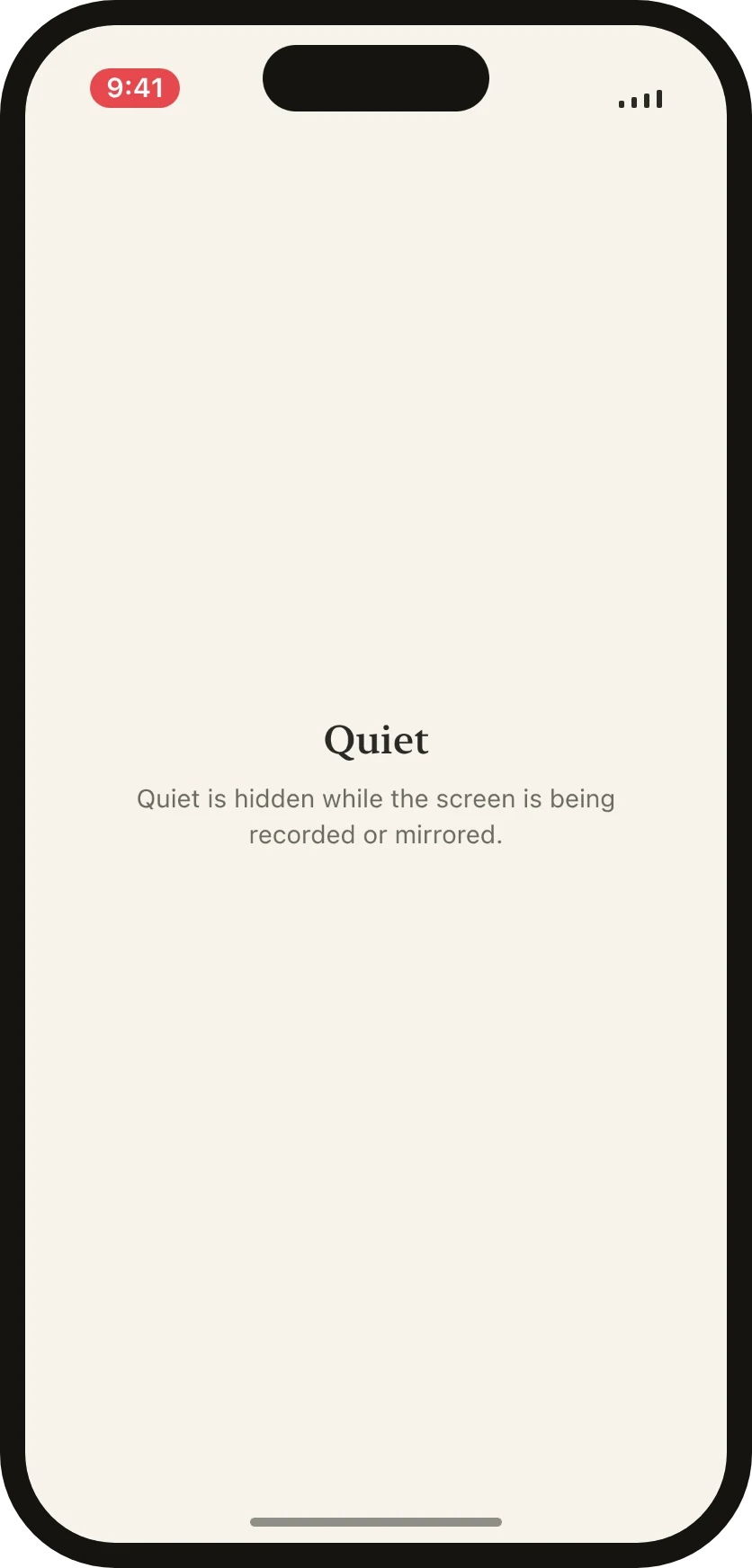
Record the screen, mirror it or send it to AirPlay, and Quiet shows its cover instead of your notes. It comes back the moment the recording stops.
Screenshots of notes, photos and clips come out blank too, with Hide from screenshots on from the start. That part relies on iOS behaviour Apple doesn’t document and could change, so it isn’t a guarantee.
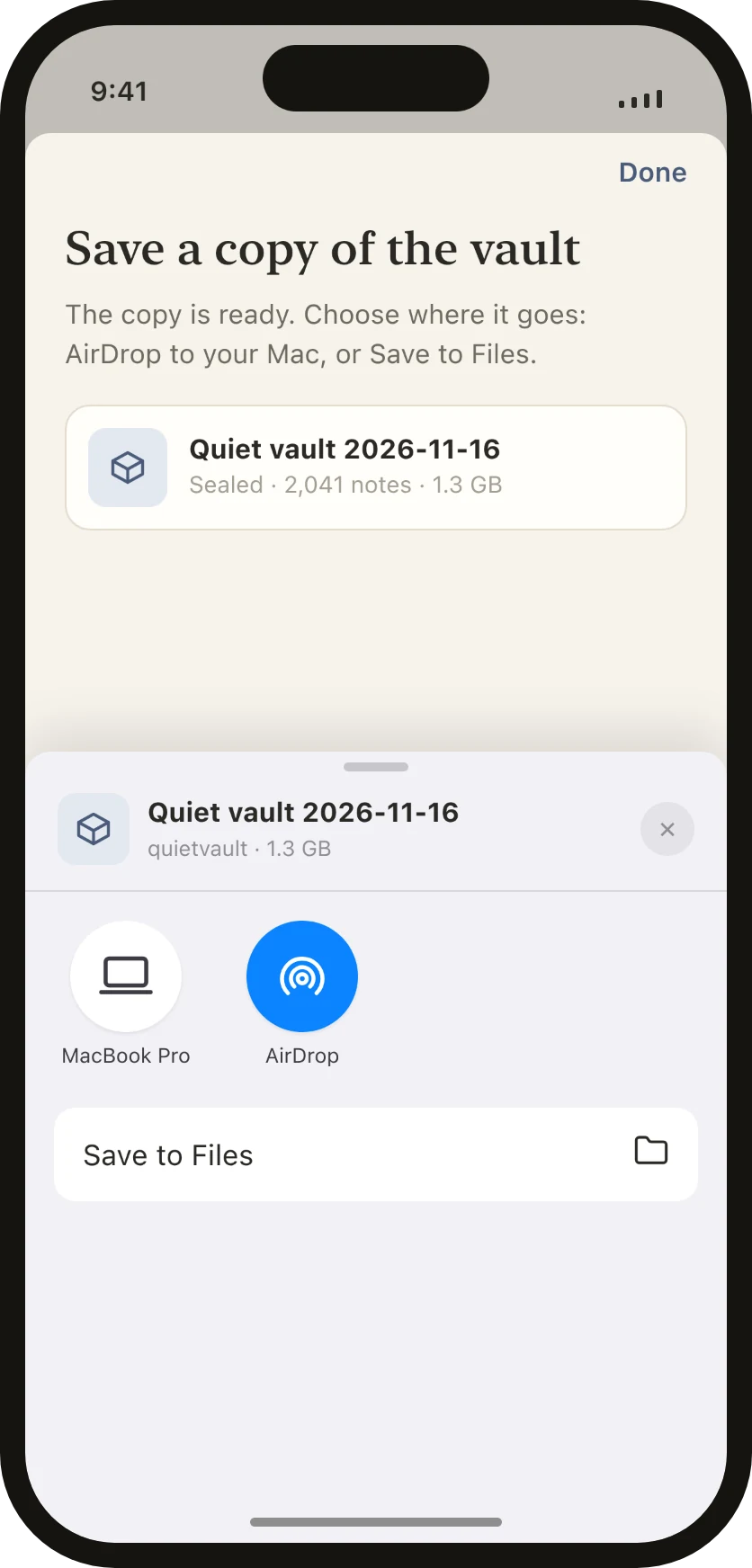
Save the whole vault as one file, and AirDrop it to your Mac or save it to Files. Everything in it stays sealed: only Quiet can open it, with your recovery key.
What’s not in it
Honest limits
We’d rather you know the limits than find them.
See it play out in real situations: Moments.
Free and Pro
Pro only limits what you can add, never what you can read. If a Yearly subscription lapses, you keep every note, photo, scan and recording, and a picture password you already set keeps working.
Launch
One email when Quiet reaches the App Store. That’s it, unless you tick the box.
Your address goes to Formspree, the service that collects this form for us, and is used for these emails only. It’s never connected to the app, which knows nothing about you.
Moments
Questions
Use your recovery key: tap Forgot PIN? on the lock screen, type the 24 characters, and choose a new PIN. Quiet offers to make one the day after you set it up, and you can make one any time in Settings. It’s free. Without a recovery key, if you forget your PIN (and your picture, if you set one), there’s no way back in, for you or for us.
24 characters you print or write down, shown once. Quiet keeps only a locked copy of its own key that your recovery key opens; the recovery key itself is never stored. Anyone with it and your notes could open them, so keep the paper somewhere only you can reach. Today it opens Quiet on your phone; when encrypted backup arrives, the same key will open your backup on a new phone.
Not automatically. Quiet’s files are left out of iCloud and computer backups on purpose. Instead, you can save a sealed copy of the vault whenever you like (Settings → Vault copy) and keep it on your Mac or in Files. Only Quiet can open it, with your recovery key. Encrypted backup to your own iCloud is planned.
Yes. Save a copy of the vault on the old phone, put Quiet on the new one, open the copy there and type your recovery key. The notes come in beside any already on the new phone.
Only “Quiet: A reminder you set.” Never the note’s title, its words, or the time it’s for. iOS keeps the fact that a reminder is due and when; what it’s for stays inside Quiet, encrypted.
No. There’s nothing to sign up for and nothing to log into.
No. They never reach us. They’re encrypted on your phone with a key tied to its hardware and to your PIN or picture.
Keyboards from other companies, like Gboard or SwiftKey, can send what you type to the people who make them. Inside Quiet they’re switched off, so you get Apple’s keyboard, in any language you’ve added. Back in other apps, yours returns.
No. It reads the words on the phone, with Apple’s Live Text, and only the words you insert are kept. Scan a document (Pro) is different: it keeps the pages, as a PDF sealed inside the note.
Not in this version. A face can be held up to a phone; a PIN can’t. If Face ID comes, it will be optional and never the only way in.
Into the note, encrypted, and nowhere else. They don’t appear in Photos. Photos you add from your library are copied in; the originals stay in Photos until you delete them there. If you need a copy elsewhere, Share as PDF sends the whole note, photos included, as a copy Quiet no longer protects.
Yes. Open the note, tap ⋯, then Print. Printed pages show the note and its date, and no app name. You can also share a note as a PDF; that copy isn’t protected by Quiet, and the app says so before it goes.
Only to Apple, when you buy or restore Pro. See Privacy; it fits on one screen.
How everything works, screen by screen: the Guide.
Quiet Notes is coming to the App Store for iPhone. Questions before then: hello@quietnotes.app
Coming soon to the App Store